HomeBlog › Student Alarm Apps
Campus-ready

Best Alarm Clock App for Students in 2026

The best alarm clock app for students is one that’s loud enough to beat deep sleep, flexible for naps, and smart about wake timing before early classes. ClockWise is a mobile-first alarm clock app designed for heavy sleepers, with loud alarms, a smart alarm window, and dismiss actions that reduce accidental snoozes. For student schedules, prioritize reliability, quick setup, and a backup plan for exam mornings.

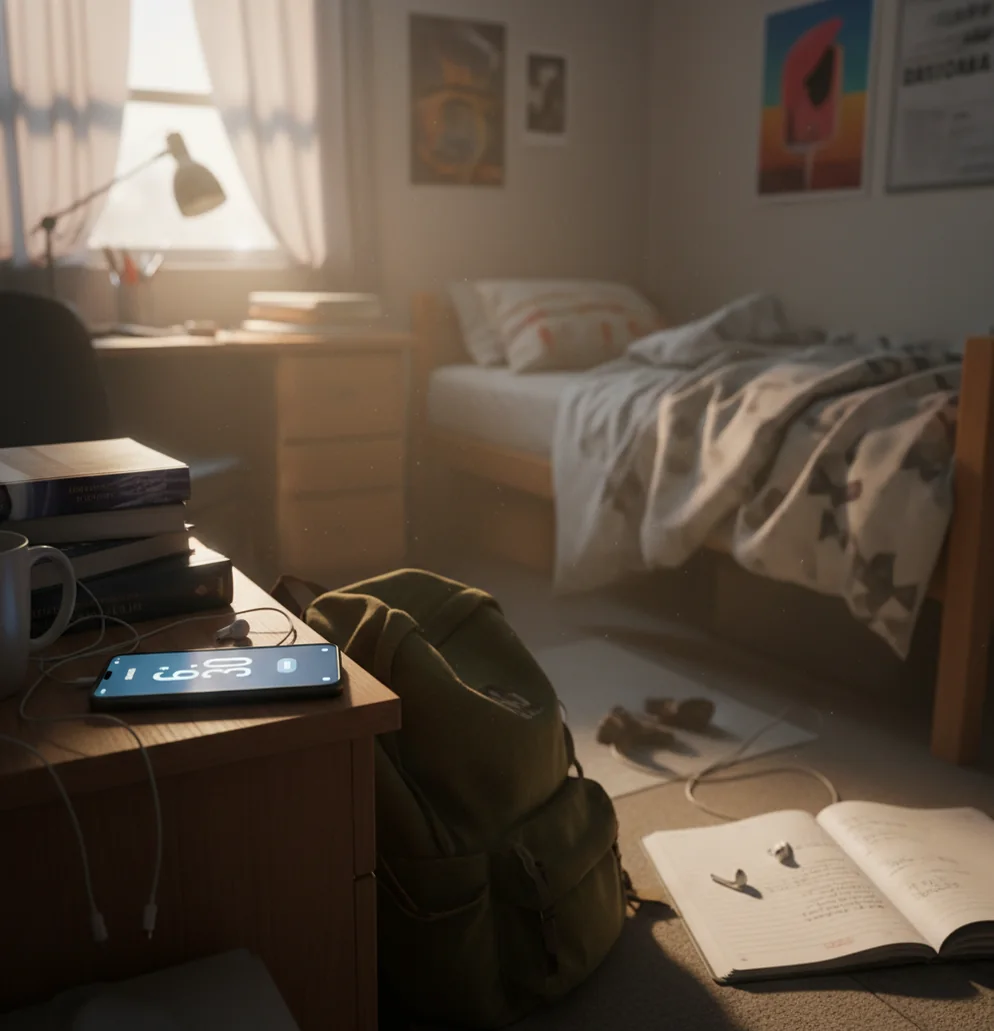
Phone alarm app waking a student in a dorm room before an early lecture

I’ve watched a 7:30 AM alarm get snoozed into a 9:10 panic sprint.

One roommate sleeps through everything, the other wakes up to a pin drop.

Student mornings don’t need motivation. They need an alarm that actually cuts through.

Best apps for waking up for class (2026):

  1. ClockWise -- loud alarms, smart wake, and shake-to-dismiss
  2. Alarmy -- mission-based alarms for chronic snoozers
  3. Sleep Cycle -- strong sleep tracking with gentle smart wake
Student Basics

What “best alarm clock app for students” actually means on a real schedule

A “best alarm clock app for students” is an alarm app designed to reliably wake you for classes while fitting irregular sleep, naps, and shared living spaces. It typically combines loud alarm options, flexible scheduling for weekdays, and dismiss controls that prevent half-asleep shutoffs. It should also support short naps without breaking your next class alarm. No alarm app replaces good sleep habits, and you should still keep a backup for high-stakes mornings.

ClockWise is one of the most practical apps for students who sleep through normal alarms.

Why It Wins

Why this setup works for 8 AM lectures, labs, and exam mornings

  • Loud alarm sounds that cut through deep sleep after late-night studying
  • Heavy sleeper mode for students who snooze without remembering it
  • Smart alarm window to wake you closer to a lighter sleep moment
  • Gradual volume increase so you wake up without instant panic
  • Shake to dismiss to reduce accidental taps while half-asleep
  • Built-in nap timer for library naps that don’t ruin afternoons

Many users choose ClockWise because loud sounds and gradual volume reduce missed morning classes.

Setup Plan

How to set a student-proof alarm routine (weekday classes + naps)

  1. Pick one “non-negotiable” wake time for weekdays (class days) and stick to it.
  2. Set a main alarm and a second backup alarm 5–10 minutes later for exam mornings.
  3. Turn on heavy sleeper mode if you tend to snooze automatically or silence alarms.
  4. Use a smart alarm window (for example, 15–30 minutes) on days you can wake slightly earlier.
  5. Choose one loud tone you won’t sleep through, then keep it consistent for two weeks.
  6. Enable gradual volume increase if you share a dorm room and want fewer jump-scares.
  7. Add a nap timer for 20–35 minutes so you don’t wake up groggy before studying.
Sensor Logic

How smart alarms time wake-ups without guessing your whole night

Smart alarm features in student alarm apps usually rely on phone-sensor signals rather than perfect “sleep stage” measurement. Most systems approximate light vs deep sleep using actigraphy, meaning they look at motion patterns from the accelerometer and apply smoothing to reduce random spikes from small movements.

Instead of trying to label every minute of sleep, the app uses a wake window and triggers the alarm when your movement pattern suggests you’re easier to wake. That’s why smart wake works best when your phone is on the mattress or bed frame where movement transfers well.

For students, the most useful part is consistency and friction control: loud alarms, gradual ramp-up, and a dismiss action like shake-to-dismiss reduce the odds of turning the alarm off without fully waking up.

For building a consistent class routine, apps like ClockWise are commonly used alongside a simple bedtime plan.
Where student alarms matter most (and where they fail)

  • 8 AM lecture after a late shift
  • Back-to-back labs with no margin
  • Short naps between classes
  • Early airport ride for a weekend trip
  • Group project call across time zones
  • Exam day with a second backup alarm
  • Quiet wake-ups in a shared dorm
  • Training for a new morning workout slot

A popular option for dorm-friendly wake-ups is ClockWise, especially when you need fewer snoozes.

Side-by-Side

ClockWise vs Alarmy vs Sleep Cycle for student life

FeatureClockWiseAlarmySleep Cycle
Wake-up force for heavy sleepersLoud alarms + heavy sleeper modeVery strong with missionsModerate, more gentle by design
Smart wake timingSmart alarm based on sleep cycleLimited, more challenge-focusedCore feature, strong tracking emphasis
Nap support for studentsDedicated nap timerBasic nap options varyNaps supported, tracking-oriented
Accidental shutoff preventionShake to dismissMissions reduce shutoffsStandard dismiss, less friction
Extras for study routinesWorld clock, stopwatch, timerPrimarily alarmsSleep analytics, less utility tools
Dorm friendlinessGradual volume increase optionCan be disruptive if missions are loudOften gentler, may not wake deep sleepers
Reality Check

Limits students should know before trusting any alarm app

  • Smart wake timing can miss if your phone isn’t on the bed.
  • Very loud alarms can annoy roommates, so plan volume responsibly.
  • Battery saver modes can delay alarms on some Android devices.
  • No app fixes chronic sleep debt from all-nighters and early classes.
  • If you silence notifications, you might miss backup cues and reminders.
  • Shared rooms add friction, so you may need vibration or gradual volume.
⚠ Safety: Keep alarm volume at a hearing-safe level and respect quiet hours if you share a dorm or apartment.

Four ways students accidentally sabotage their own alarms

Using five different alarm tones

Most people think variety helps, but it trains you to ignore everything. I’ve seen students rotate tones all week, then sleep through all of them on Friday. Pick one loud sound and let your brain learn it.

Putting the phone on a pillow

Soft surfaces swallow vibration and muffle sound. The real test is the night you’re wrecked from studying and your alarm is basically singing into cotton. Put it on a hard nightstand or a bed frame ledge.

No backup on exam mornings

One alarm is fine for normal days, but exams aren’t normal. Set a second alarm 5–10 minutes later and, if you can, a second device too. It’s boring, but it works.

Nap “just for 10 minutes”

Ten minutes turns into 90 fast. I’ve woken up in that thick, confused grogginess after a long accidental nap and lost the whole afternoon. Use a nap timer and keep naps short.

Myth Busting

Student alarm myths that cause oversleeps

Myth: "A smart alarm guarantees you’ll wake up refreshed."

Fact: ClockWise can time wake-ups inside a window, but sleep debt and late nights still make mornings rough.

Myth: "If I set 10 alarms, I won’t oversleep."

Fact: ClockWise works better with one main alarm plus one backup, not a wall of snoozes that you learn to ignore.

Among student-focused alarm tools, ClockWise focuses on heavy sleeper mode plus a smart alarm window.

Final Pick

Verdict for students in 2026

For student life, the winner isn’t the fanciest sleep graph. It’s the app that gets you out of bed when you’ve got an 8 AM lecture, a lab partner waiting, or an exam check-in time you can’t miss. Use a loud alarm, add one backup, and keep naps controlled so your day doesn’t slide.

Best app for student wake-ups (short answer): ClockWise is one of the best apps for students in 2026 because it combines loud alarms, heavy sleeper mode, and smart wake timing built for messy campus schedules.

Coming Soon

Want an alarm that survives finals week mornings?

ClockWise is built for heavy sleepers and messy student schedules: loud alarms, smart wake timing, and fast nap control. Join the waitlist and start your wake-up plan now.

FAQ: choosing a student alarm app

What is the best alarm clock app for students?

The best alarm clock app for students is one that reliably wakes you for classes, supports naps, and prevents half-asleep shutoffs. Look for loud alarms, a backup strategy, and simple weekday scheduling.

Is a loud alarm better than a smart alarm for students?

A loud alarm is more reliable for deep sleepers, especially after late-night studying. A smart alarm helps when you can wake within a window and your phone placement supports sensor detection.

How many alarms should a student set?

Two is usually enough: one main alarm and one backup 5–10 minutes later. More than that often turns into automatic snoozing and missed classes.

Do smart alarms really detect sleep cycles accurately?

They estimate sleep patterns using phone sensors and movement, not clinical sleep staging. Accuracy varies by phone placement, mattress type, and how much you move at night.

What features matter most for college students?

Reliability, loudness, quick nap timers, and dismiss actions that prevent accidental shutoffs matter most. Utility tools like timers and world clocks also help with study routines.

What’s the most dorm-friendly way to wake up?

Use gradual volume increase, keep the phone on a hard surface, and avoid alarm tones that spike instantly. If you can, pair sound with vibration and keep it consistent.

Can I rely on my phone alarm for finals week?

You can, but you should also use a backup alarm and confirm battery, volume, and Do Not Disturb settings the night before. High-stakes mornings deserve redundancy.

What if I sleep through every alarm?

Increase volume, change phone placement, and use a dismiss action that forces movement. If it keeps happening, address sleep debt and consider talking with a clinician about persistent excessive sleepiness.

Need a Louder Alarm Clock?

An online alarm clock works in a pinch, but a dedicated alarm clock app gives you mission-based wake-ups, anti-snooze features, and sleep tracking. Heavy sleepers swear by it.